
|
|
The purpose of this section is to show a user how to configure calculation of Availability. Availability defines how much time a wind turbine has been operating or is ready to operate (i.e. produce electric power) as compared to the whole time range. For more detail information, refer to Availability.
Availability Configurator plug-in will be required for performing the following configuration. For more detail information, refer to Configuring Plug-ins.
To configure Availability calculation, we need to create Availability and define for which Information Categories it will be calculated.
By default, there are two availability types: Technical Availability and Operational Availability. Apart from the mentioned availability types, we can create the other ones. Let's create availability named My Availability. To do this, follow the steps below:
 ;
;Now we need to define for which information categories My Availabilitywill be calculated by taking the following actions:

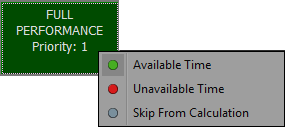

 in the upper left corner.
You can also calculate the Availability automatically by following the steps described in Calculate Availability Automatically.
If required, you can create the availability adjustment. For example, if the wind turbine was in one information category for a certain time period, we can adjust that for the specified time period during the specified day it will be in another information category. Let's assume, that our turbine was in SCHEDULE MAINTENANCE information category for 2 days and we will adjust that for 2 hours during specified day it will be in Other Environmental information category. To do this, follow the steps below:
 ;
;
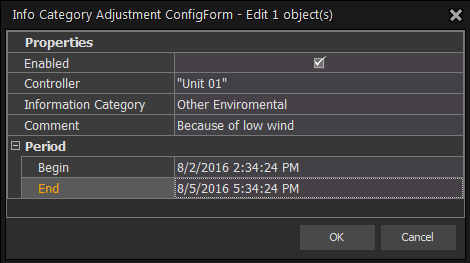
in the upper left corner.After creating the adjustment, it appears in the Information Category Adjustment area.
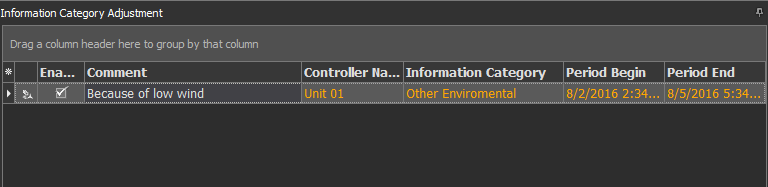
Now, based on this adjustment, we can recalculate information categories and availability for this turbine.
The next manual section efer to Configure Task Scheduler will provide you with the instructions on how to configure the Task Scheduler.